

Contents
- 1 Why Is My HP Laptop So Slow?
- 1.1 1. Too Many Startup Programs (Most Common Cause)
- 1.2 2. Low RAM (Memory Bottleneck)
- 1.3 3. Slow Hard Drive (HDD Instead of SSD)
- 1.4 4. Overheating & Thermal Throttling
- 1.5 5. Too Many Background Processes
- 1.6 6. Windows Bloatware & HP Preinstalled Apps
- 1.7 7. Virus or Malware
- 1.8 8. Old Windows or Driver Issues
- 1.9 9. Power Settings Limiting Performance
- 1.10 10. Disk Almost Full
- 1.11 11. Too Many Browser Extensions
- 1.12 12. Laptop Hardware Is Simply Old
- 1.13 13. Best Performance Boost Steps (Fast Results)
- 1.14 FAQs
- 1.14.1 Why is my HP laptop suddenly very slow?
- 1.14.2 Does HP laptops slow down over time?
- 1.14.3 Can low RAM make my HP laptop slow?
- 1.14.4 Is an HDD causing my HP laptop to lag?
- 1.14.5 Why does my HP laptop get slower when it heats up?
- 1.14.6 How do I speed up my HP laptop quickly?
- 1.14.7 Does antivirus software slow down HP laptops?
Why Is My HP Laptop So Slow?
Full Guide, Causes, Fixes & Performance Tips
HP laptops can slow down due to hardware limits, software bloat, overheating, malware, or incorrect settings. The good news: most slowdowns are fixable without buying a new laptop.
1. Too Many Startup Programs (Most Common Cause)
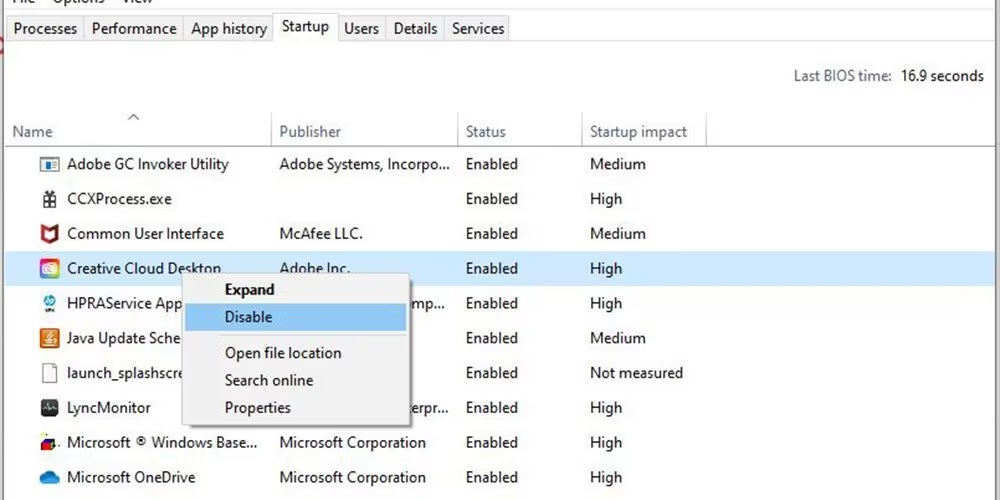
When Windows starts, many apps run in the background.
Fix:
- Press Ctrl + Shift + Esc
- Open Startup
- Disable apps you don’t need:
- Teams
- OneDrive (optional)
- Discord
- Adobe services
- Spotify
✅ Faster boot
✅ Less RAM usage
2. Low RAM (Memory Bottleneck)
If your HP laptop has 4GB–8GB RAM, it may lag badly when multitasking.
Signs:
- Freezing with Chrome tabs
- Slow app switching
- Disk usage stuck at 100%
Fix:
- Upgrade to 16GB RAM if possible
- Close unused tabs/apps
Recommended RAM in 2026:
- 8GB = basic use
- 16GB = smooth performance
- 32GB = heavy editing/gaming
3. Slow Hard Drive (HDD Instead of SSD)
Older HP laptops use HDD, which is very slow.
Symptoms:
- Long boot time (1–5 minutes)
- Slow file opening
- Lag when launching apps
Fix:
Upgrade to an SSD
🚀 This gives 3–10x speed boost
Best upgrade for speed improvement.
4. Overheating & Thermal Throttling
HP laptops slow down when hot to protect components.
Signs:
- Fan always loud
- Laptop feels hot
- Performance drops after 10–20 minutes
Fix:
- Clean dust inside
- Replace thermal paste (if old)
- Use a cooling pad
- Avoid soft surfaces (beds/blankets)
5. Too Many Background Processes
Fix:
- Open Task Manager
- Sort by CPU / Memory
- Close heavy apps
Examples:
- Chrome (many tabs)
- Adobe background services
- Xbox services
- Antivirus overload
6. Windows Bloatware & HP Preinstalled Apps
HP installs extra services that slow systems.
Remove:
- HP JumpStart
- HP Support Assistant (optional)
- HP Games
- Trial antivirus software
Go to Settings → Apps → Installed Apps
7. Virus or Malware
Signs:
- Random pop-ups
- High CPU usage at idle
- Slow internet
Fix:
Run:
- Windows Defender full scan
- Malwarebytes (optional)
8. Old Windows or Driver Issues
Fix:
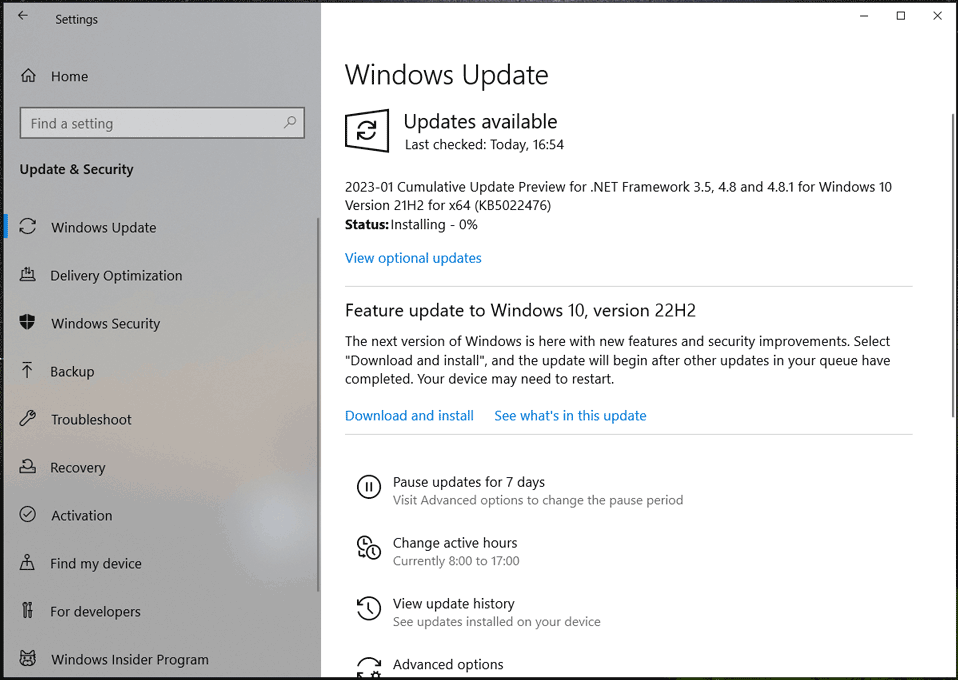
- Update Windows
- Update GPU driver (Intel / AMD / NVIDIA)
- Update BIOS (optional if needed)
9. Power Settings Limiting Performance
Fix:
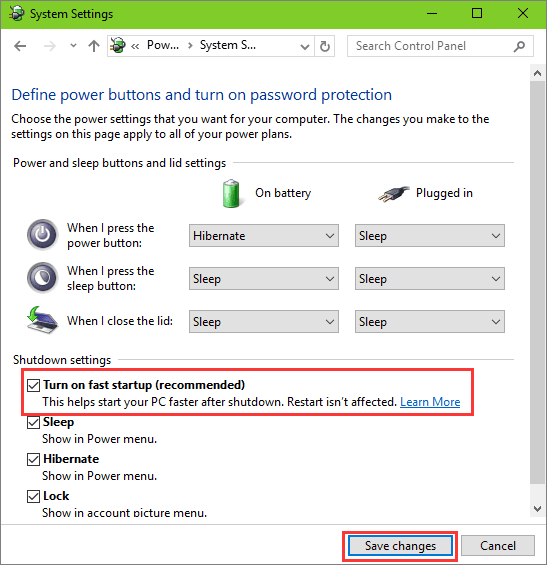
- Go to Control Panel → Power Options
- Select High Performance (or Best Performance in Windows 11)
10. Disk Almost Full
If your drive is 90–100% full, Windows slows down.
Fix:
- Delete temp files
- Run Storage Sense
- Keep at least 20–30GB free
11. Too Many Browser Extensions
Fix:
- Remove unnecessary Chrome extensions
- Limit tab count
12. Laptop Hardware Is Simply Old
Common slow specs:
- Intel i3 / Celeron / Pentium
- HDD storage
- 4GB RAM
- Laptop older than 7–10 years
Fix options:
- SSD upgrade
- RAM upgrade
- Lightweight Windows reset
- Or replace laptop
13. Best Performance Boost Steps (Fast Results)
🚀 Biggest speed upgrades:
- Install SSD
- Upgrade to 16GB RAM
- Disable startup apps
- Clean dust & fix overheating
- Fresh Windows install (if needed)
FAQs
Why is my HP laptop suddenly very slow?
This usually happens due to too many startup programs, low RAM, background apps, overheating, malware, or a nearly full storage drive.
Does HP laptops slow down over time?
Yes. Over time, laptops collect software bloat, dust buildup, outdated drivers, and fragmented storage, which reduces performance.
Can low RAM make my HP laptop slow?
Yes. If your laptop has 4GB–8GB RAM, multitasking, browsing, and modern apps can cause freezing and lag. Upgrading to 16GB RAM helps a lot.
Is an HDD causing my HP laptop to lag?
Yes. HDDs are much slower than SSDs. Switching to an SSD can make your laptop 3–10x faster.
Why does my HP laptop get slower when it heats up?
HP laptops throttle performance to prevent overheating, reducing CPU speed. Cleaning dust or using a cooling pad can fix this.
How do I speed up my HP laptop quickly?
Fast fixes:
Disable startup apps
Close background programs
Free up storage
Set power mode to High Performance
Restart the laptop
Does antivirus software slow down HP laptops?
Some third-party antivirus programs can use too many system resources. Windows Defender is usually lighter and faster.
READ ALSO: What are the Internet Explorer flags and what are they for?